
How to Transfer Crypto from Exchange to Wallet Safely
- 22 Dec 2025
Introduction: Why Transfer Crypto to Your Own Wallet
After buying cryptocurrency on an exchange, many beginners leave it there for convenience. However, exchanges are frequent targets for hacks, and “not your keys, not your crypto” remains a core principle.
Moving your assets to a personal wallet gives you full control and significantly improves security. Searches like “how to transfer crypto from exchange to wallet” and “move bitcoin from coinbase to wallet” are common because this step marks the transition to proper self-custody.
This guide explains the complete process safely and clearly for 2026. We cover preparation, step-by-step transfer, fees, common mistakes, and verification tips.
Strengthen your knowledge with our best crypto wallets for beginners and review pitfalls in our 10 biggest crypto mistakes.
Preparation: Set Up Your Wallet First
Never buy crypto before having a wallet ready.
- Choose and install a reputable wallet (see our recommendations).
- Complete setup and securely back up your seed phrase offline.
- Generate a receive address for the specific cryptocurrency you plan to transfer.
Popular beginner options:
- MetaMask or Trust Wallet for multi-chain.
- Phantom for Solana (see our Phantom setup tutorial).
- Hardware wallets like Ledger for larger amounts.
Step-by-Step: Transferring Crypto from Exchange to Wallet
The process is similar across platforms like Coinbase, Binance, Kraken, and Crypto.com.
Step 1: Log In to Your Exchange Account
Use official apps or websites and ensure 2FA is enabled.
Step 2: Navigate to Withdrawals
Find “Withdraw,” “Send,” or “Wallet → Withdraw” section.
Step 3: Select the Cryptocurrency
Choose the exact asset (e.g., Bitcoin, Ethereum, USDT). Pay attention to network selection for tokens.
Step 4: Paste Your Wallet Receive Address
Copy the address from your personal wallet and paste it carefully.
Critical: Double-check the first and last 6 characters. Use copy-paste — never type manually.
For tokens like USDT or USDC:
- Match the network exactly (e.g., ERC-20, TRC-20, Solana).
- Mismatched networks can result in permanent loss.
Step 5: Enter Amount
Input how much to send. Leave enough for fees if required.
Step 6: Review Fees and Limits
Exchanges charge:
- Withdrawal fee (fixed or percentage).
- Network fee (miner/validator cost, varies by congestion).
Bitcoin fees can spike during busy periods; Ethereum layer-2 options are cheaper.
Step 7: Complete Security Checks
Confirm via email, 2FA, or whitelist verification if enabled.
Step 8: Submit and Wait
Most transfers complete in minutes to an hour, depending on the blockchain.
Step 9: Verify Receipt
Check your personal wallet balance and use a blockchain explorer for confirmation.
Test Transaction First
Always send a small amount ($10-50 equivalent) first:
- Complete full transfer process with minimal value.
- Confirm arrival and correct address.
- Send the remainder once verified.
This prevents catastrophic loss from address errors.
Common Networks and Examples
| Crypto | Common Networks | Notes |
|---|---|---|
| Bitcoin | Native Bitcoin | Only one option |
| Ethereum | Ethereum (ERC-20), Arbitrum, Optimism | Choose cheaper layer-2 when possible |
| USDT/USDC | ERC-20, TRC-20, Solana, Polygon | Match exactly or funds are lost |
| Solana | Solana | Very low fees, fast |
| BNB | BEP-20 (BNB Chain) | Low cost alternative |
Common Mistakes and How to Avoid Them
-
Wrong Address
Solution: Always copy-paste and verify ends. -
Network Mismatch
Solution: Confirm sender and receiver support the same chain. -
Missing Memo/Tag
For exchanges like Binance or Ripple (XRP), some require a destination tag.
Solution: Include if prompted. -
Insufficient Fees
Solution: Most platforms handle this automatically. -
Sending to Wrong Wallet Type
Solution: Ensure your wallet supports the asset and network.
See our full list in the biggest crypto mistakes guide.
Fees Overview in 2026
| Asset | Typical Withdrawal Fee (Exchange) | Network Fee Range |
|---|---|---|
| Bitcoin | $1-10 | $1-50 (congestion) |
| Ethereum | $1-5 (mainnet) | $0.50-20 |
| Solana | <$0.01 | <$0.01 |
| Stablecoins | $1-5 | Varies by network |
Layer-2 solutions and chains like Solana keep costs minimal.
Advanced Security Tips
- Enable withdrawal address whitelisting on exchanges (only pre-approved addresses).
- Use hardware wallets for signing large transfers.
- Avoid public Wi-Fi during transactions.
- Bookmark official sites to prevent phishing.
After Transfer: What Next?
- Hold long-term with proper backups.
- Use dollar-cost averaging for additional purchases.
- Monitor portfolio sparingly to avoid emotional stress — see our crypto psychology guide.
Conclusion: Take Control of Your Assets
Transferring crypto from exchange to wallet is a crucial step toward true ownership and security. The process is simple once understood, but attention to detail is essential.
Follow this guide, start with test transactions, and prioritize correct addresses and networks. Self-custody protects your investment far better than leaving funds on platforms.
Combine this with safe buying practices from our how to buy Bitcoin guide or general how to buy crypto.
You now have the tools for responsible crypto ownership in 2026. Stay vigilant and enjoy the benefits of decentralization.
Stay in the loop →
Powered by EverRank, and created by GalaxyBuilt
Get Weekly DeFi Alpha in Your Inbox
Weekly DeFi Alpha
56k+ traders getting my private newsletter every week
Join To Download our Ebook Free
Read Next_
Best Crypto Debit Cards That Pay Rewards in 2026
Beginner-friendly guide to the best crypto debit cards in 2026, featuring cashback, token rewards, and real-world usability.
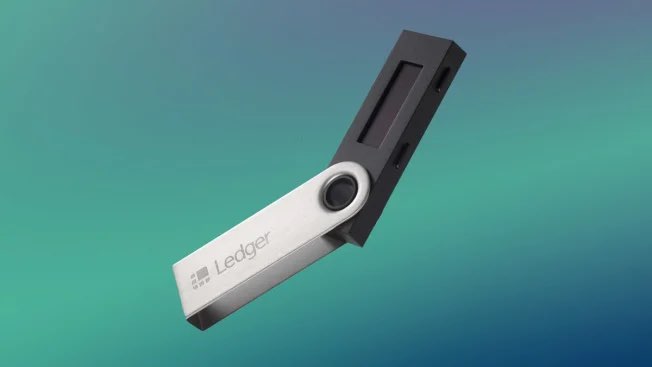
Best Crypto Wallets for Beginners: Top Picks and Reviews
Choosing the right crypto wallet is crucial for security and ease of use. This 2026 guide reviews the best crypto wallets for beginners, comparing software, hardware, and mobile options with pros, cons, and setup tips.
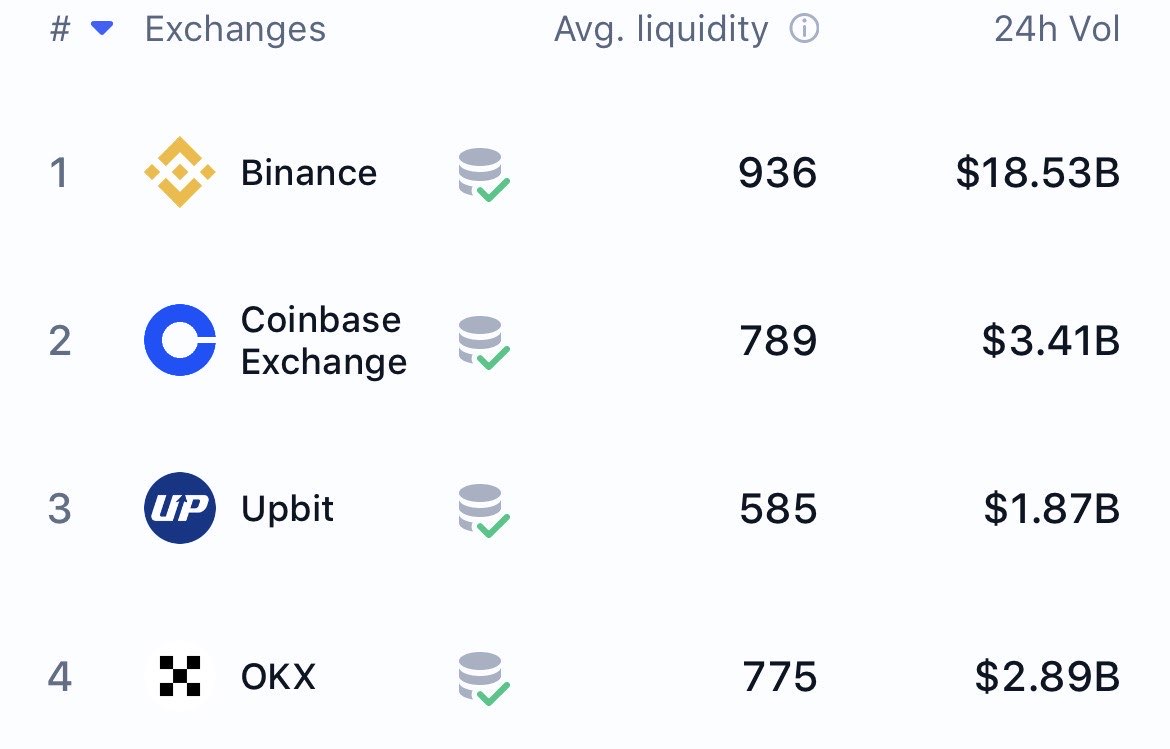
The Best Crypto Exchanges (CEX + DEX) for Bitcoin, Ethereum & Solana + Altcoins (Global + US)
Updated for 2026: Compare the top centralized + decentralized exchanges with the lowest fees, biggest bonuses, and most altcoins. Full rankings for global, US, and DEX users — includes referral links to claim up to $30,000+ in bonuses.