
Hot vs. Cold Wallet: Your Ultimate Guide to Storing Crypto Safely
- 20 Dec 2025
🧊 From Hot Wallets to Cold Storage: The Definitive Guide to Crypto Security
If you’re new to crypto, you’ve heard the golden rule: “Not your keys, not your coins (crypto).”
This means you must take control of your funds away from centralized exchanges (like Coinbase or Binance). The tool for this? A wallet.
But the world of wallets is confusing: Hot? Cold? Seed Phrase? This guide breaks down the essential differences, the core security principle that protects your funds, and the best tools for interacting with the Solana ecosystem.
1. The Core Principle: Hot Wallets vs. Cold Wallets
Every crypto wallet falls into one of two categories, based on its connection to the internet. This difference is the single most important concept in crypto security.
🔥 Hot Wallets (The Everyday Cash)
| Feature | Description | Example Wallets |
|---|---|---|
| Connection | Always connected to the internet. | Phantom (Solana), Solflare (Solana), MetaMask (EVM) |
| Security Risk | Higher risk from malware, phishing links, and remote hacks. | |
| Best For | Small amounts of crypto, daily trading, frequent use with dApps, and NFTs. |
A hot wallet is like your physical wallet—it’s convenient for everyday transactions, but you wouldn’t keep your entire life savings in it.
🧊 Cold Wallets (The Bank Vault)
| Feature | Description | Example Wallets |
|---|---|---|
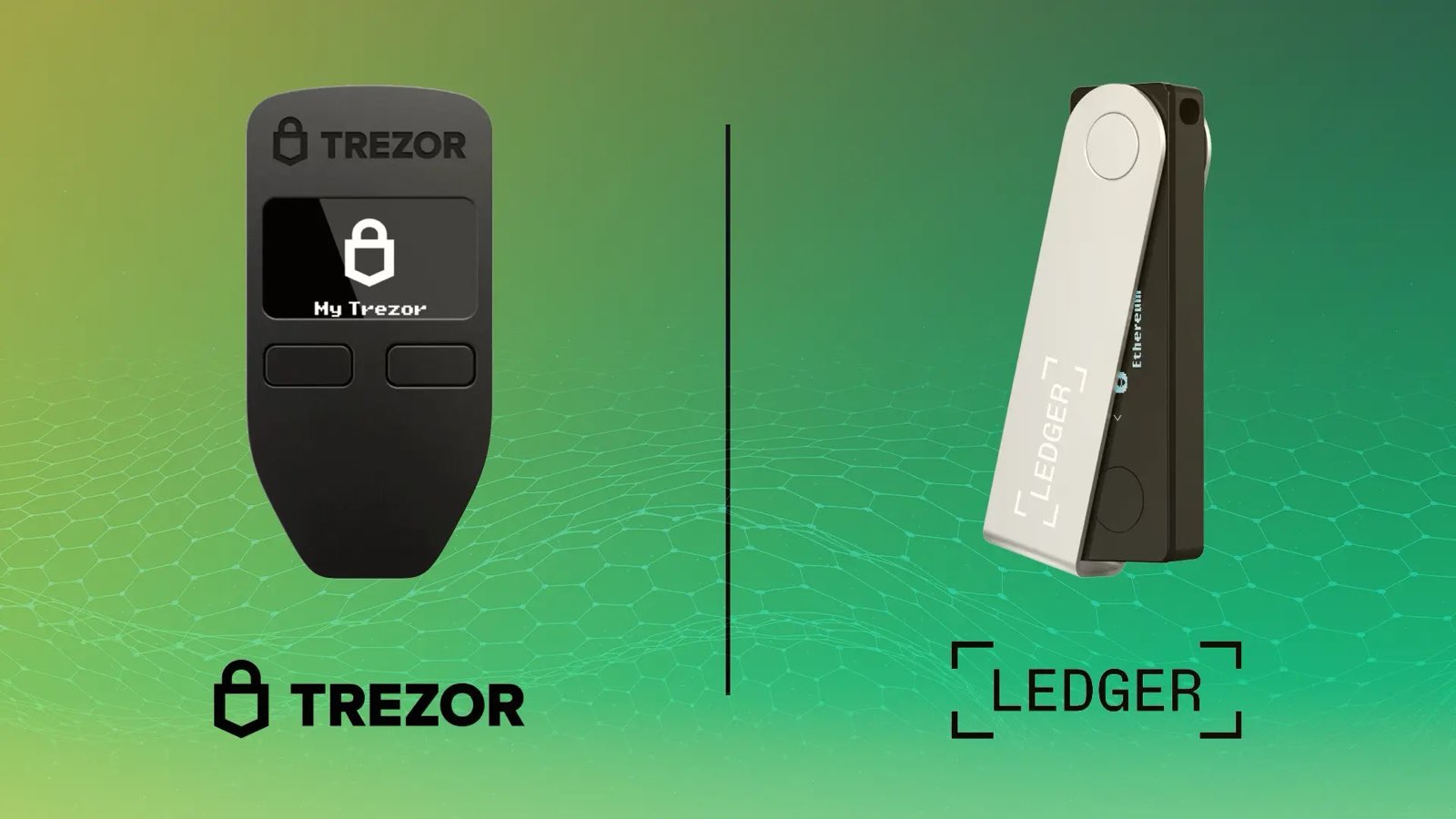
| Connection | Always kept offline (Air-Gapped). | Ledger, Trezor, Keystone, Tangem |
| Security Risk | Near-zero risk from online threats since the private keys never touch the internet. | |
| Best For | Long-term savings, large amounts of SOL, HODLing, and digital inheritance. |
A cold wallet is a dedicated physical device (or set of cards) that is disconnected from the internet. When you want to sign a transaction, the device signs the transaction offline, and then the transaction is broadcast to the network. Your secret key never leaves the device.
2. The Unbreakable Rule: The Seed Phrase
Regardless of whether you use a Hot or Cold wallet, they are both fundamentally secured by a Seed Phrase (also called a Recovery Phrase or Mnemonic).
Your Seed Phrase is the master key to ALL your crypto funds.
- It is a list of 12 or 24 simple words (e.g.,
apple, goat, river, shoe, ...). - It is the only way to recover your funds if you lose your phone, your laptop crashes, or your hardware wallet is destroyed.
- Anyone who has your seed phrase has instant, permanent access to all your crypto.
The Sacred Security Rule
NEVER, EVER, under any circumstances, digitize your seed phrase.
Do not:
- Take a photo of it.
- Type it into a notes app (even an encrypted one).
- Store it in the cloud (Google Drive, Dropbox, iCloud).
- Send it in an email or text message.
The best practice is to write it down on paper or, for ultimate safety, engrave it onto a metal plate and store it in two separate, secure, fireproof locations.
3. Recommended Wallets for the Solana Ecosystem
For interacting with Solana’s DeFi and NFT landscape securely, you must pair a convenient Hot Wallet with a high-security Cold Wallet.
A. Top Hot Wallets (Your Daily Driver)
- Phantom: The most popular Solana wallet, known for its beautiful, user-friendly interface and excellent NFT support. Top recommendation for beginners.
- Solflare: A powerful, Solana-native wallet that offers advanced staking tools and deep integration, making it a favorite for power users.
- Backpack: A newer, high-performance wallet popular among NFT collectors, offering unique xNFT (executable NFT) support.
B. Top Cold Wallets (Your Vault)
Every serious investor should own a hardware wallet. They integrate seamlessly with your Hot Wallet (e.g., you can link your Ledger to Phantom) so you can view your balance easily, but every transaction must be physically approved on the device.
| Device Name | Key Feature | Connection Method | Get Your Device |
|---|---|---|---|
| Ledger | Industry standard, Secure Element chip. | USB / Bluetooth | Secure Your Crypto with a Ledger Device Today |
| Trezor | Fully open-source firmware, strong community trust. | USB | Explore Trezor’s Secure Hardware Wallets |
| Keystone | Fully air-gapped security (no cables, only QR codes). | QR Code | Check out the Air-Gapped Keystone Wallet |
| Tangem | Credit card-like, battery-free, seedless option. | NFC (Mobile Tap) | Discover the Simple, Seedless Tangem Wallet |
Disclaimer: Using the links above helps support our blog, and we only recommend devices we personally trust for cold storage.
4. Cold Wallet Comparison: Pros and Cons
Choosing a cold wallet depends on your priorities: security architecture, usability, or a mobile-first experience.
| Wallet | Key Pros (Advantages) | Key Cons (Disadvantages) | Best For… |
|---|---|---|---|
| Ledger | Broadest compatibility with dApps; Bluetooth (Nano X) for mobile use; large app ecosystem. | Closed-source firmware (less transparent); past controversies regarding potential future recovery services. | Beginners/Power Users who need extensive dApp/token support. |
| Trezor | 100% open-source software (maximum transparency); long-established reputation for security. | Desktop-first experience (less mobile-friendly); generally fewer coins/apps than Ledger. | Security Maxims who prioritize open-source and transparency. |
| Keystone | True Air-Gap via QR codes (zero cable/wireless vulnerability); large touchscreen for easy verification. | Slow transaction signing due to QR code scanning; bulkier physical size; higher price point. | Extreme Security for large, long-term holdings (the vault). |
| Tangem | Seedless option (no 12/24 words to write down); card form factor (convenient/durable); mobile-only NFC connection. | Requires a minimum of two cards for backup (or a seed phrase option); no desktop app interface; verification done only on the phone screen. | Mobile-First Users who want the easiest, most durable security solution. |
Bottom Line: The “Air-Gapped” Strategy
For maximum security on Solana, combine the convenience of a hot wallet with the safety of a cold wallet:
- Keep 90%+ of your assets on a Cold Wallet (like Ledger, Trezor, etc.).
- Connect that Cold Wallet to your Hot Wallet (like Phantom).
- When you want to trade or interact with a dApp, you use the Hot Wallet interface, but the final, sensitive step (signing the transaction) must be approved physically on your offline hardware device.
This way, even if your laptop or phone is hacked, the attacker cannot steal your funds because they don’t have the physical hardware wallet to approve the transfer. Stay safe!
Stay in the loop →
Powered by EverRank, and created by GalaxyBuilt
Get Weekly DeFi Alpha in Your Inbox
Weekly DeFi Alpha
56k+ traders getting my private newsletter every week
Join To Download our Ebook Free
Read Next_

How to Audit Smart Contracts on EVM and Solana
Why smart contracts need security checks and how the process works on both Ethereum (Solidity) and Solana (Rust). We break down the four key audit steps, the essential tools (Slither, Clippy, etc.), and what to look for to keep your DeFi funds safe.

How to Revoke Token Allowances on Ethereum, Arbitrum, & BSC
High-volume farming on EVM chains requires connecting to many protocols. Learn what an 'unlimited token allowance' is, why it's a security vulnerability, and the simple, multi-chain method using Revoke.cash to sever unwanted permissions and protect your Ethereum, Arbitrum, BSC, and Polygon funds.
Cold Storage 101: The Essential Guide to Setting Up Your Ledger Nano S or X
A step-by-step tutorial for setting up a Ledger hardware wallet. Learn where to buy securely, how to initialize your device, manage your Secret Recovery Phrase, and master the fundamentals of crypto self-custody.