
How to Set Up Rabby Wallet: Step-by-Step Tutorial for Beginners
- 25 Dec 2025

I first downloaded Rabby wallet when I was farming the hyperliquid launches. This is the go to wallet for hyperliquid ecosystem, plus it works perfectly fine with ethereum coins as well.
Rabby Wallet has emerged as one of the top choices for Ethereum and EVM-compatible chain users in 2026. Developed by the DeBank team, it’s a free, open-source browser extension wallet built specifically for DeFi power users while remaining accessible to beginners who want extra security and convenience.
Rabby supports hundreds of EVM chains (Ethereum, Polygon, BNB Chain, Arbitrum, Optimism, Base, Avalanche, zkSync, and many more) with automatic chain switching, built-in transaction simulation, advanced security alerts, and a beautiful address book. It can even import and replace MetaMask seamlessly, making the switch effortless.
As a non-custodial wallet, you fully control your private keys and recovery phrase. This guide will walk you through setting up Rabby from scratch, backing up securely, and preparing for safe DeFi interactions—helping you avoid the 10 Biggest Crypto Mistakes Beginners Make in 2026.
Why Choose Rabby Wallet as a Beginner?
Rabby stands out, especially for anyone planning to explore DeFi:
- Superior Security Features: Pre-transaction simulation shows exactly what will happen (balance changes, approvals) before you sign.
- Automatic Chain Switching: No manual network changes when visiting dApps on different chains.
- Better Than MetaMask in Many Ways: Smarter address handling (shows native balances across chains), gas suggestions, and risk detection.
- Seamless MetaMask Replacement: Imports your existing accounts and can override MetaMask on sites.
- Rich DeFi Integration: Powered by DeBank data—see your full portfolio, positions, and history in one place.
For comparisons, check Best Crypto Wallets for Beginners in 2026: Top Picks and Reviews. Many users now prefer Rabby over How to Set Up MetaMask Wallet: Step-by-Step Tutorial for Beginners 2026 for daily EVM use.
Prerequisites Before Starting
- A computer with Chrome, Brave, Edge, or Firefox browser (Rabby is browser-extension only—no mobile app yet).
- A secure, private environment to record your recovery phrase.
- Paper and pen for backup.
Step-by-Step Guide to Setting Up Rabby Wallet
Setup takes less than 5 minutes.
Step 1: Download Rabby from Official Sources
Always use the official site to avoid phishing extensions:
- Visit https://rabby.io and click Download.
- Or go directly to the Chrome Web Store: Search “Rabby Wallet” or use the link from the official site.
- Compatible browsers: Chrome, Brave, Edge, Firefox.
Critical Warning: Only install from https://rabby.io or official store listings. Fake extensions can drain your funds instantly.
Step 2: Install and Launch the Extension
- Add Rabby to your browser.
- Pin it to your toolbar for easy access.
- Click the Rabby icon → You’ll see options: Create New Wallet or Import Existing Wallet.
Step 3: Create a New Wallet
- Select Create Wallet.
- Set a strong password (used to unlock the extension locally).
- Rabby generates a 12-word secret recovery phrase.
- Write down the words exactly in order on paper. Never screenshot or store digitally.
- Verify by re-entering the words.
This seed phrase is your ultimate backup. Store it offline and never share it.
For more on secure practices, see How to Transfer Crypto from Exchange to Wallet Safely in 2026.
Step 4: Complete Setup and Secure
- Confirm password again.
- Optionally enable biometric unlock (if your browser supports it).
- Rabby encrypts everything locally—no data leaves your device.
Step 5: Explore Your New Wallet
- Your dashboard shows your address, total balance across chains, and recent activity.
- Rabby automatically adds popular EVM chains.
- Click Receive to copy your address (same across all EVM chains—Rabby handles the rest).
- View native balances on different networks without switching manually.
Step 6: Fund Your Wallet (Optional Test)
To confirm everything works:
- Buy ETH or stablecoins directly (via on-ramps in the extension).
- Or transfer from an exchange using your Rabby address.
Beginners should start with How to Buy Ethereum for Beginners: Complete Step-by-Step Guide 2026 or How to Buy Crypto with Credit Card or PayPal in 2026.
Test with a small amount first.
Importing an Existing Wallet (Including from MetaMask)
Switching from MetaMask or another wallet?
- Choose Import Wallet on startup.
- Enter your existing 12/24-word seed phrase or private key.
- Rabby imports all accounts and balances.
- Pro tip: Enable “Override MetaMask” in settings so sites automatically connect to Rabby instead.
Advanced Features Beginners Will Love
Once comfortable:
- Transaction Simulation: See exact outcomes before confirming—catches scams early.
- Gas Optimization: Suggests better gas prices and settings.
- Address Book: Save frequent contacts with names and notes.
- Portfolio Tracking: Detailed breakdown of holdings and DeFi positions.
- Hardware Wallet Support: Connect Ledger or Trezor for cold storage.
These tools help with safer strategies like Dollar Cost Averaging Explained: The Best Strategy for Crypto Beginners in 2026.
Common Issues and Troubleshooting
- dApp Not Connecting: Refresh page or re-connect wallet.
- Balance Not Showing on New Chain: Switch to that network manually once.
- Extension Conflicts: Disable MetaMask or set Rabby as default.
- Official support/docs: https://rabby.io/docs
Final Security Best Practices
- Never enter your seed phrase on any website.
- Always check transaction simulations carefully.
- Use hardware wallets for large amounts.
- Stay calm during market hype—review Crypto Investing Psychology: Mastering Emotions and Avoiding FOMO as a Beginner in 2026.
Rabby Wallet makes EVM DeFi safer and smoother than ever in 2026. Whether you’re holding ETH, exploring Base chain apps, or managing positions across layers, Rabby gives you professional-grade tools with beginner-friendly design.
Combine it with knowledge from Top 10 Cryptocurrencies Explained for Absolute Beginners in 2026 and Bitcoin vs Ethereum: Which is Better for Beginners in 2026.
Welcome to smarter self-custody—enjoy the journey!
Stay in the loop →
Powered by EverRank, and created by GalaxyBuilt
Get Weekly DeFi Alpha in Your Inbox
Weekly DeFi Alpha
56k+ traders getting my private newsletter every week
Join To Download our Ebook Free
Read Next_
Best Crypto Debit Cards That Pay Rewards in 2026
Beginner-friendly guide to the best crypto debit cards in 2026, featuring cashback, token rewards, and real-world usability.
Best Crypto Wallets for Beginners: Top Picks and Reviews
Choosing the right crypto wallet is crucial for security and ease of use. This 2026 guide reviews the best crypto wallets for beginners, comparing software, hardware, and mobile options with pros, cons, and setup tips.
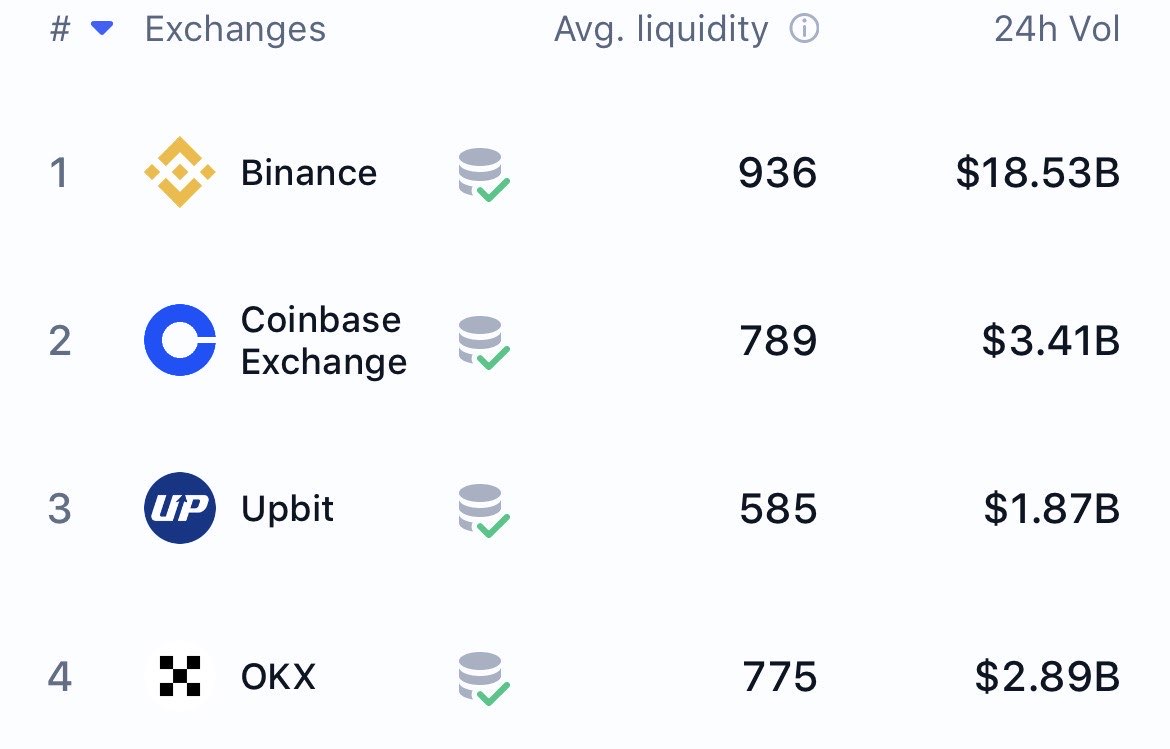
The Best Crypto Exchanges (CEX + DEX) for Bitcoin, Ethereum & Solana + Altcoins (Global + US)
Updated for 2026: Compare the top centralized + decentralized exchanges with the lowest fees, biggest bonuses, and most altcoins. Full rankings for global, US, and DEX users — includes referral links to claim up to $30,000+ in bonuses.