-
 Nefu
Nefu - 11 Dec 2025
- Security privacy
Cold Storage 101: The Essential Guide to Setting Up Your Ledger Nano S or X
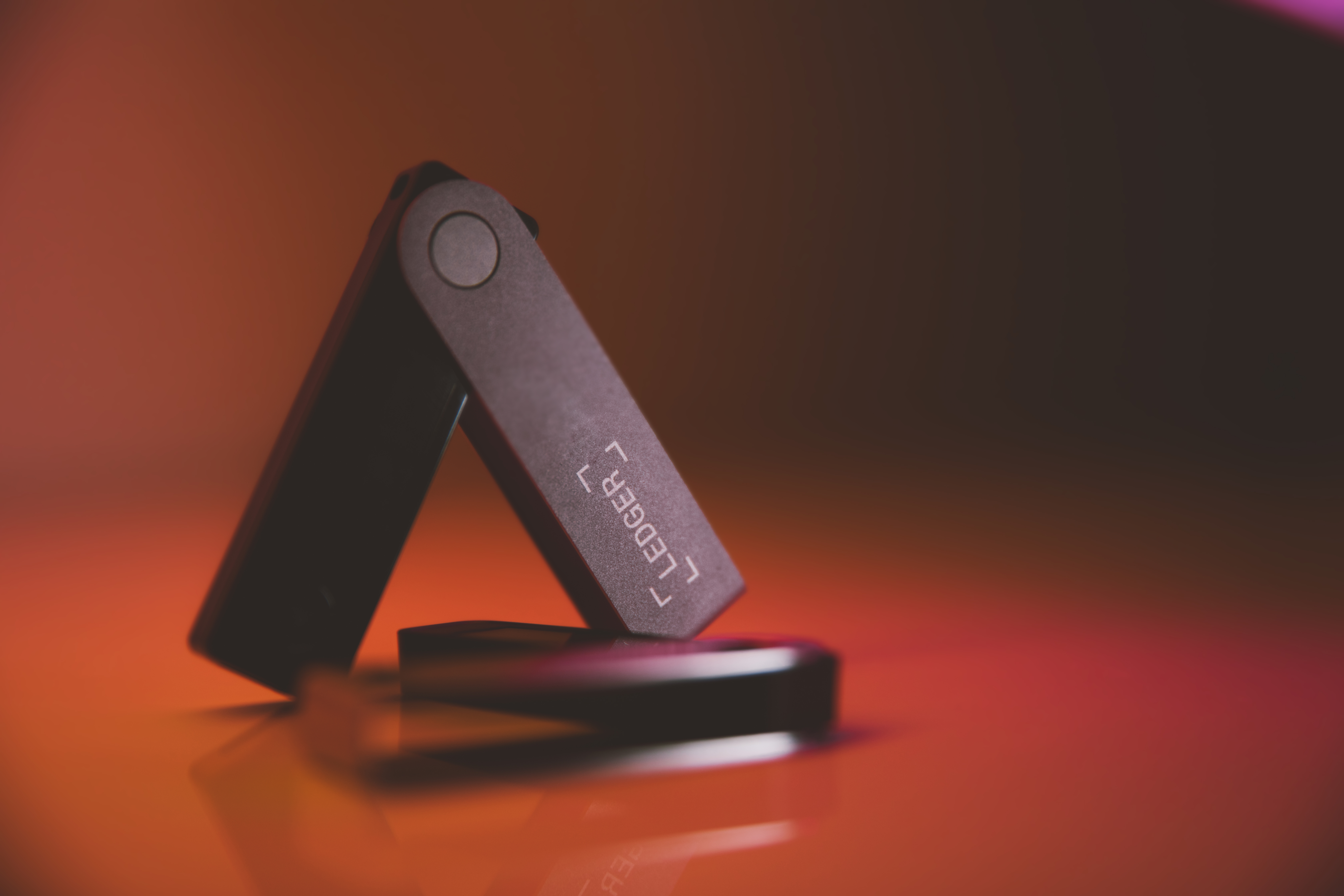
Mastering Self-Custody: A Complete Guide to Setting Up Your Ledger Hardware Wallet A hardware wallet, often called cold storage, is the most secure way to protect your cryptocurrency. It keeps your private keys completely offline, providing a critical defense against online hacks and scams. This comprehensive guide walks you through the entire process of securely setting up and using a Ledger Nano S Plus or Ledger Nano X.Key Security Principle: Self-custody means you are solely responsible for your funds. There is no customer support line to recover lost keys. This guide will help you get it right.Why You Need a Hardware Wallet Before we begin, it's important to understand the "why." Software wallets (like MetaMask or Exodus) are connected to the internet, making them vulnerable to malware, phishing attacks, and sophisticated wallet drainers. A hardware wallet like Ledger stores your private keys in a secure, offline chip. Transactions are signed inside the device and only the signed transaction is sent to your computer, meaning your keys never leave the safe environment.This video showcases Ledger's seamless integration with the Solana ecosystem, highlighting its modern capabilities for secure DeFi and NFT management. Phase 1: Purchase and Initial Security Check Where to Buy Your Ledger: The Most Critical Step Your security chain is only as strong as its first link. Purchasing from an unauthorized source is one of the biggest risks in hardware wallet ownership.Critical Warning: Never buy a Ledger from Amazon, eBay, or any third-party marketplace. These platforms carry a high risk of receiving a tampered, pre-owned, or maliciously pre-seeded device. If your device arrives with a pre-written recovery phrase, do not use it. Contact Ledger Support immediately.The only safe way to purchase is directly from the official source.Buy Your Ledger Nano S Plus or Nano X Securely from Ledger.comLedger Model Comparison: Nano S Plus vs. Nano X Choosing the right model depends on your needs and usage style. Here's a breakdown of Ledger's current main offerings.Model Price (USD) Key Features Best ForLedger Nano S Plus $79 USB-C connection, stores 100+ apps, compact design. Desktop users, beginners, and those on a budget.Ledger Nano X $149 Bluetooth & USB-C, internal battery, larger screen, mobile app support. Users who trade on the go or prefer managing crypto from their phone.Ledger Stax $279+ Large E-ink touchscreen, dedicated mobile companion. Premium users who prioritize a superior interface.The 'My Ledger' tab in Ledger Live, showing a successfully connected device ready for app management and updates.Phase 2: Device Setup and Initialization Step 1: Install Ledger Live Download and install the official Ledger Live desktop application from Ledger's website. This is your companion app for managing your device, installing apps, and viewing your portfolio. Step 2: Initialize Your Device and Set a PINConnect your Ledger to your computer using the supplied USB cable. You'll see "Welcome" on the screen. Follow the on-screen prompts (press both buttons to navigate). Select "Set up as new device." Create a strong PIN code (4-8 digits). This PIN is required every time you connect your device. Choose one you will remember, but that is not easy to guess. There is no "forgot PIN" option.Step 3: Write Down Your Secret Recovery Phrase This is the single most important action in this guide. Your 24-word Secret Recovery Phrase (SRP) is the master key to all assets on that device. It must be handled with extreme care.Your device will display 24 words, one at a time, on its own screen. Use the Recovery Sheet included in the box. Write each word clearly and in the exact order it appears. Never digitize this phrase. No photos, no cloud notes, no typing it anywhere. The device will then ask you to confirm the phrase by selecting specific words. This verifies you recorded it correctly.The portfolio overview in Ledger Live, showing asset allocation—your ultimate goal after a successful setup. Step 4: Install Crypto Asset Apps and Add AccountsIn Ledger Live, go to 'My Ledger'. You'll see a catalog of available apps (e.g., Bitcoin, Ethereum, Solana). Install the apps for the cryptocurrencies you plan to manage. Go to the 'Accounts' tab and click 'Add Account' for the installed app. Follow the prompts to generate your first receive address.Phase 3: Understanding and Securing Your Recovery Phrase The BIP-39 Standard Explained Your Secret Recovery Phrase follows the BIP-39 industry standard. It converts complex cryptographic entropy into a human-readable list of words from a fixed 2048-word dictionary.Word Length Entropy (Security Bits) Typical Use Case Security Level12 Words 128 Bits Most software wallets (MetaMask, Trust Wallet) Extremely High. Brute-force is computationally impossible.24 Words 256 Bits Ledger, Trezor (Hardware Wallets) Maximum theoretical security. The gold standard for cold storage.Why does Ledger use 24 words? It provides the highest possible entropy, future-proofing your security against any conceivable advances in computing power. While 12 words are secure enough for practical purposes, 24 words represent the uncompromising security standard for hardware wallets. Best Practices for Long-Term Phrase StoragePhysical is Paramount: Your primary backup should always be offline and physical. Consider a Metal Backup: Paper can burn or degrade. Investing in a cryptosteel or similar fire/water-resistant metal backup plate is highly recommended for long-term security. The Multi-Location Rule: Create at least two physical copies. Store them in separate, secure locations (e.g., a home safe and a bank safety deposit box). This protects against localized disasters like fire or flood.Phase 4: Ongoing Maintenance and Usage How and Why to Update Firmware Regular firmware updates via Ledger Live are not optional; they patch security vulnerabilities and add new features and asset support.Connect your device and open Ledger Live. Navigate to 'My Ledger'. A banner will notify you if an update is available. Click 'Update' and follow the on-screen instructions. Pro Tip: Before updating, always ensure you have your 24-word phrase accessible. While rare, a firmware update can sometimes require a device reset.Funding Your New Cold Storage Wallet With your Ledger set up, you're ready to move funds from an exchange (a "hot" wallet) to your secure cold storage.In Ledger Live, go to the account you want to fund and click 'Receive'. Connect your Ledger, open the corresponding app (e.g., "Bitcoin"), and verify the receive address on your device's screen. This step is crucial to ensure no malware has altered the address on your computer monitor. Once verified, use that address as the destination for a withdrawal from your exchange.Need an exchange to buy crypto? Learn how to choose a reputable platform and make your first purchase safely in our dedicated guide.Read: The Beginner's Guide to Choosing and Using a Cryptocurrency Exchange Final Security Checklist Purchased directly from Ledger.com. Set a strong, memorized PIN. Wrote down the 24-word Secret Recovery Phrase by hand. Verified the phrase during device setup. Stored phrase copies in multiple, secure physical locations. Always verify receive and send addresses on the Ledger device screen itself. Keep Ledger Live and device firmware updated.By following this guide, you have taken a monumental step toward true financial sovereignty. Your cryptocurrency is now under your control, secured by one of the most robust systems available to individuals. Welcome to self-custody. Disclaimer: This guide is for educational purposes. Always refer to Ledger's official documentation for the most current instructions. You are solely responsible for securing your recovery phrase and PIN.

- Nefu
- 09 Dec 2025
- Prediction markets
What Is Polymarket? Beginner Guide
What Is Polymarket? The Complete Beginner’s Guide (2025) Learn how prediction markets work, how to place your first trade, and how to start profiting from real-world events.What Is Polymarket? Polymarket is the world’s largest prediction market platform, where users trade on real-world events using YES/NO shares. Instead of betting against a sportsbook or casino, you trade against other participants based on probabilities. You can trade on events such as:Political elections Crypto and Bitcoin price outcomes Economic indicators (CPI, inflation, rate cuts) Sports results Pop culture Viral meme eventsEach market has two possible outcomes:YES – event happens NO – event does not happenShares trade between $0.01 and $1.00, reflecting market-implied probabilities.How Polymarket Works (Simple Explanation) Every market revolves around a probability price:If YES is $0.45 → the market believes there's a 45% chance the event will occur. If the event happens → YES settles at $1.00. If it doesn’t → YES settles at $0.00.You are essentially buying and selling probabilities.Why People Use Polymarket Prediction markets are powerful because they: ✅ Are more accurate than polls ✅ React instantly to breaking news ✅ Let you profit from knowledge ✅ Are fun and easy to learn ✅ Teach market logic and probabilities ✅ Let beginners trade without crypto knowledgeIs Polymarket Legal? Yes — Polymarket operates as a legal information market, not a sportsbook. It’s allowed for U.S. users and international users, with regional differences in deposit methods. Anyone can sign up and begin trading.BREAKING: Stephen Colbert now the #1 suspect in the Epstein Files.97% chance he's in them. pic.twitter.com/80bPtpJebq— Polymarket (@Polymarket) December 23, 2025 Who Should Use Polymarket? Polymarket is ideal for:Beginners exploring DeFi and markets Crypto traders Political and news followers Sports fans Meme and culture watchers “Alpha” hunters who follow trends quicklyIf you’re good at spotting trends early, you can profit consistently.How to Start Trading on Polymarket (Step-by-Step)1. Create Your Account Sign up takes under one minute. 👉 Use my Polymarket link here:[https://tinyurl.com/polynefu] This supports the Txchyon blog & future DeFi research.2. Deposit Funds Deposit using:Debit card Credit card USDC Crypto wallet Bank transfer (region-dependent)Beginners can use debit/credit — no crypto required.3. Choose a Market Beginner-friendly markets include: CryptoWill Bitcoin reach $100k? Will Solana hit $300?PoliticsWho will win the 2026 election? Will Biden withdraw?EconomicsWill CPI be above forecast?MemesWill [celebrity] apologize? Will Apple announce X product?Pick markets you understand.4. Buy YES or NO SharesBuy YES if you think the event WILL happen Buy NO if you think it WON’T happenSimple and intuitive.5. Trade or Hold You can:Sell early for profit Hold until event settlement Exit early if market moves against youPolymarket gives you full flexibility.Examples: How To Profit on Polymarket 1. News Trading Information comes out early → you enter → market updates → you profit. 2. Trend Trading If you know crypto narratives well, you can enter mispriced markets early. 3. Political Momentum Poll swings and debate reactions move markets fast. If you follow political news → huge edge.Is Polymarket Safe? Yes — Polymarket uses:Blockchain-based smart contracts Market oracles Transparent, on-chain settlement No central “house” trading against usersYou trade directly with the market, not the platform.Beginner Tips (Read This First) 🟦 1. Start small $10–$50 is enough to learn. 🟦 2. Trade events you understand Your personal knowledge = your edge. 🟦 3. Take profits early You don’t need to wait for final results. 🟦 4. Watch for mispriced markets Crypto, politics, and macro events are often slow to price in. 🟦 5. Follow news closely The faster you react, the more profitable you’ll be.Final Thoughts — Is Polymarket Worth Using? Yes — if you enjoy:Crypto News Events Betting on outcomes Memes Markets Low-cost beginner-friendly tradingPolymarket is one of the most fun and educational platforms in Web3. 👉 Start here with my Polymarket partner link:[https://tinyurl.com/polynefu] This supports the Txchyon blog & helps fund future content and DeFi guides. Check out the rest of our Prediction Markets category for deep dives on other platforms. Next up: more guides to help you navigate this growing space.

- Nefu
- 08 Dec 2025
- Getting started
How to Buy Cryptocurrency: Complete Step-by-Step Beginner's Guide
Introduction Buying your first cryptocurrency doesn't need to be confusing or overwhelming. Whether you're interested in Bitcoin, Ethereum, or Solana, the process is essentially the same—and we'll walk you through every single step. If you're completely new to crypto, start with our foundational guide: What is Cryptocurrency? A Complete Beginner's Guide to Blockchain in 2026. In this guide, we'll use Solana (SOL) as our primary example because it offers fast transactions and extremely low network fees, making it perfect for your first purchase experience. The identical steps apply to buying Bitcoin or Ethereum. For Bitcoin-specific guidance, see our dedicated guide: How to Buy Bitcoin for Beginners: Complete Step-by-Step Guide 2026. Time to complete: 10–15 minutesWhat you'll need: A smartphone or computer, a government-issued photo ID, and a payment method (debit card or bank account).Part 1: Choosing Where to Buy (Quick Start) Before we begin, you need a trusted platform. For absolute beginners in the United States, we recommend Coinbase. It's regulated, insured, and has the simplest interface for your first purchase. For a comprehensive comparison of all major platforms, check out our detailed review: The Best Crypto Exchanges (CEX + DEX) for Bitcoin, Ethereum & Solana + Altcoins. Why Coinbase for Beginners:✅ FDIC-insured USD balances (up to $250,000) ✅ Simplest mobile & web interface ✅ Educational rewards for learning ✅ Available in all 50 states ✅ Publicly traded company (NASDAQ: COIN)Ready? Let's begin:👉 Sign up for Coinbase using this link to get $10 in free crypto after your first $100 trade.Part 2: The Step-by-Step Process Step 1: Create Your Account What you'll do:Click the sign-up link above or navigate to Coinbase.com Enter your legal name, email address, and create a strong password Verify your email by clicking the confirmation link sent to your inboxPro tip: Use a password manager like Bitwarden or 1Password to generate and store a unique, strong password. Step 2: Complete Identity Verification (KYC) Why this matters: Federal regulations require all legitimate U.S. exchanges to verify your identity. This process (Know Your Customer) protects both you and the platform. The verification process (takes 2–5 minutes):Once logged in, Coinbase will prompt you to verify your identity Select "Driver's License" (fastest option for U.S. residents) Use your smartphone camera to take clear photos of: The front of your license The back of your license A quick selfieWait for approval (typically instant to 10 minutes)Common issues & fixes:Blurry photos? Try better lighting or hold the camera steady Glare on the license? Adjust the angle away from direct light If verification fails: Try using your passport insteadStep 3: Secure Your Account IMMEDIATELY ⚠️ DO THIS BEFORE ADDING ANY MONEY:Navigate to Settings → Security Enable Two-Factor Authentication (2FA) Choose "Authenticator App" (Google Authenticator or Authy recommended—more secure than SMS) Scan the QR code with your authenticator app Save your backup codes in a secure locationSecurity non-negotiables:✓ Never share your password with anyone ✓ Never share 2FA codes (Coinbase will NEVER ask for these) ✓ Bookmark the real Coinbase site to avoid phishing scams ✓ Never take digital photos of your recovery phrasesFor comprehensive security guidance, read: Crypto Investing Psychology: Mastering Emotions and Avoiding FOMO as a Beginner in 2026 to understand common mental traps. Step 4: Add Funds to Your Account For U.S. customers, you have three primary options:Method Speed Fee Best ForBank Transfer (ACH) 3–5 business days Free Larger amounts, no rushDebit Card Instant ~3.99% Small test purchases, immediate accessWire Transfer 1 business day $10–$25 outgoing Very large amounts ($10K+)Our recommendation: Start with a $50–100 debit card purchase for your first try. The modest fee is worth it to learn the process instantly. For quick purchases, you can also use our guide: How to Buy Crypto with Credit Card or PayPal: Fast and Safe Options for Beginners. How to deposit:Click "Add funds" in the top right navigation Select "Debit Card" (or ACH if you prefer the free option) Enter your card details (or bank account information) Enter the amount ($50 is perfect for learning) Confirm the depositStep 5: Buy Your First Cryptocurrency (Solana Example) Why we're buying Solana (SOL) for this example:Transaction fees are less than $0.01 (vs. $5–20 for Ethereum) Confirmation time is ~2 seconds (vs. 10+ minutes for Bitcoin) You can practice sending to a wallet for almost no cost Solana is a top-5 cryptocurrency with a strong ecosystemThe buying process:Click "Trade" → "Buy" in the Coinbase interface In the search bar, type "Solana" or "SOL" Enter the amount: "$25" (we'll save the other $25 for the next step) Order type: Select "Market" (this buys at the current best price) Preview your purchase (example): You're buying: ~0.1 SOL Network fee: $0.99 (Coinbase fee) Total: $25.99 Click "Buy now" and confirm🎉 Congratulations! You now own cryptocurrency. You'll see your SOL balance in your Coinbase portfolio immediately. For a smarter long-term investment strategy, consider: Dollar Cost Averaging Explained: The Best Strategy for Crypto Beginners.Part 3: What NOT to Do After Buying (Critical Safety) ⚠️ The #1 Beginner Mistake: Leaving your crypto on the exchange long-term. Why this is risky (even on trusted exchanges):"Not your keys, not your coins" — you don't control the private keys Limited to the exchange's features and withdrawal rules While Coinbase is insured, self-custody is the gold standard in cryptoLearn how to avoid common pitfalls in our guide: 10 Biggest Crypto Mistakes Beginners Make in 2026 (And How to Avoid Them). The solution: Move your crypto to a personal wallet. Let's do that right now with your remaining $25 balance.Part 4: Securing Your Investment (Moving to a Wallet) Think of it like this: Coinbase is your bank branch. A personal wallet is your physical wallet. For true security and ownership, you need to move funds to self-custody. Step 6: Set Up a Solana Wallet (Phantom)Download Phantom Wallet (the most popular Solana wallet):Chrome/Brave Extension: phantom.app iOS: App Store Android: Google PlayCreate a new wallet:Open Phantom and click "Create New Wallet" ⚠️ CRITICAL: WRITE DOWN YOUR SECRET RECOVERY PHRASE Store it on paper (never digitally—no photos, no cloud) Confirm the phrase in the correct order when promptedSet a strong password for the wallet application itselfFor a complete setup tutorial, see: How to Set Up Phantom Wallet: Complete Step-by-Step Guide for Solana & Ethereum. Step 7: Withdraw SOL from Coinbase to Your WalletIn Coinbase:Click "Send/Receive" Select "Send" and choose Solana (SOL)In Phantom Wallet:Click "Deposit" → "Solana" Copy your wallet address (starts with a long string like 7g5L...)Complete the withdrawal:Paste your Phantom address into Coinbase's recipient field Amount: "$25 worth" (or your remaining balance) Network: Ensure "Solana" is selected (not "Solana SPL" or other variants) Preview and confirm: The network fee should be ~$0.0005Wait 5–10 seconds... Your SOL will appear in Phantom! You now truly own and control your cryptocurrency. For detailed transfer instructions, read: How to Transfer Crypto from Exchange to Wallet Safely.Part 5: Next Steps & Learning Path You've mastered the fundamentals! Here's where to go next:Want to explore other cryptocurrencies?→ Read our guide: Top 10 Cryptocurrencies Explained for Absolute BeginnersReady to earn interest on your crypto?→ Learn about Staking Solana for 5–8% APY (future article)Want to try decentralized trading?→ Check out our review of The Top 8 DEXs for Lowest Trading Fees and Highest Yield Rewards Right NowConsidering Bitcoin vs Ethereum?→ Compare both in our guide: Bitcoin vs Ethereum: Which is Better for BeginnersFrequently Asked Questions (FAQ) Q: Is Coinbase safe for US customers? A: Yes, Coinbase is a publicly traded company (NASDAQ: COIN) and follows all U.S. regulations. USD balances are FDIC-insured up to $250,000. However, cryptocurrency itself is not FDIC-insured. Q: How much should I invest for the first time? A: Only what you can afford to lose completely. $50–100 is perfect for learning the process without significant financial risk. Never invest money you need for essentials. Q: Can I buy Solana with PayPal on Coinbase? A: Yes, once your account is fully verified, you can link PayPal as a payment method for instant purchases. This is available in most U.S. states. Q: What's the difference between Bitcoin, Ethereum, and Solana? A:Bitcoin: Digital gold — primarily a store of value Ethereum: Programmable blockchain — powers smart contracts and dApps Solana: High-speed blockchain — optimized for fast, cheap transactionsQ: Are there taxes on cryptocurrency purchases? A: In the U.S., buying and holding cryptocurrency is not a taxable event. You only owe taxes when you sell, trade, or earn cryptocurrency at a profit. Always consult a crypto-knowledgeable tax professional. Q: What if I lose access to my Phantom wallet? A: Your Secret Recovery Phrase is your ONLY backup. If you lose it, you lose access to your funds permanently. Store it securely on paper (or metal) in multiple safe locations. For wallet recommendations, see: Best Crypto Wallets for Beginners: Top Picks and Reviews.Final Checklist Before you finish, ensure you've completed: Verified your identity on Coinbase Enabled 2FA with an authenticator app (not SMS) Successfully purchased your first cryptocurrency (SOL, BTC, or ETH) Set up Phantom Wallet (or another non-custodial wallet) Transferred your crypto off the exchange to your personal wallet Securely stored your recovery phrase offline (paper/metal) Bookmarked legitimate crypto sites to avoid phishingImportant Disclaimer This guide is for educational purposes only. Cryptocurrency investments are volatile and risky. Never invest more than you can afford to lose. This content does not constitute financial advice. Always do your own research (DYOR) and consider consulting with a financial advisor before making investment decisions.Reading Time: 8 minutes
- Nefu
- 08 Dec 2025
- Security privacy
How to Stop MetaMask from Leaking Your IP in 2026 – Still Works Perfectly
How to Stop MetaMask from Leaking Your IP in 2026 (Still Works) Three years later and MetaMask still defaults to Infura.Every swap, every balance check, every dApp connection leaks your real IP. If you haven't changed anything, you're still trackable. Here are the three best fixes in December 2026 — ranked from brain-dead easy to bulletproof. 1. Just turn on a VPN (30-second fix — what I use daily) I've been on NordVPN for years. One click and literally everything (MetaMask, browser, torrents, whatever) is hidden. My referral (cheapest price + 3–4 months free + 30-day money-back):→ https://tinyurl.com/nordnefu (ProtonVPN free tier works too if you want zero cost.) 2. Switch to Txchyon RPC (2-minute fix — free & decentralizes the network) I run my own no-logs, high-uptime public endpoint for exactly this reason. Steps:MetaMask → Networks → Add Network (bottom)Add a network manuallyPaste this:Network Name: Txchyon RPC New RPC URL: https://rpc.txchyon.com ← zero logs, 99.99% uptime Chain ID: 1 Currency Symbol: ETH Block Explorer URL: https://etherscan.ioSave → select "Txchyon RPC"Done. You're off Infura forever and helping decentralize RPC infrastructure. 3. Switch to Rabby Wallet (nuclear option) Rabby has built-in privacy routing + pre-sign simulation.→ https://rabby.io (95% of my volume is here now) Quick comparison (Dec 2026)Method Cost Setup time Blocks IP leak Blocks phishing Helps decentralizationNordVPN (my link) ~$3–5/mo 30 sec Yes No NoTxchyon RPC Free 2 min Yes No YesRabby Wallet Free 5 min Yes Yes YesBonus My always-updated no-log RPC list + full privacy stack →Tools & Resources → https://txchyon.com/tools/ Pick any one of the three and you're invisible again in under five minutes. See you on-chain (anonymously). — Nefu (@nefutrades)Say gm → news@txchyon.com
- Nefu
- 05 Dec 2025
- Airdrop farming
🪂 The Pump.fun Airdrop Hunt: Farm Strategy, Eligibility Tips, and Maximize Rewards
💸 Farming for Free Funds: Your Strategy for a Potential Pump.fun Airdrop Pump.fun has fundamentally changed the memecoin landscape on Solana, allowing anyone to launch a token for a few dollars. Given its massive fee revenue and dominant position, the launch of a native $PUMP token (or similar governance/utility token) is highly anticipated. While an airdrop has been unofficially confirmed to reward early users, the exact dates and rules for eligibility are kept secret. However, the history of successful airdrops provides a clear roadmap for what activity is likely to be rewarded. This guide outlines the speculation, the likely eligibility criteria, and an actionable strategy to maximize your potential allocation.🔑 Phase 1: Establish Eligibility - The Activity Checklist To ensure your wallet is included in any future eligibility snapshot, you must show consistent, meaningful interaction with the Pump.fun platform's core mechanics.Activity Why It Matters Tips to Maximize Score1. Token Creation This is the core product. Creating a token demonstrates deep engagement and support for the platform's primary function. Create at least 1-3 unique tokens. The fee is minimal (around 0.02 SOL).2. Trading Volume Platforms reward users who generate fees. Buying and selling tokens drives the platform's revenue engine. Aim for a cumulative trading volume (buys + sells) of over $500 across multiple tokens. High volume is crucial.3. Consistent Usage A user who performs trades across multiple weeks looks better than a user who 'bot-farms' transactions in one day. Spread your activity over several distinct weeks or months to show genuine, consistent usage.4. "Graduation" Participation Interacting with tokens that successfully reach the market cap threshold and "Graduate" to the PumpSwap AMM is a key indicator of supporting platform milestones. Trade or hold tokens actively pursuing the "King of the Hill" and "Graduation" status.5. Holding/Sticking Power Holding a specific token or LP position for an extended period can signal commitment, rather than just quick in-and-out trades. Keep a portion of your farming SOL invested in a few highly-ranked tokens for a few weeks.📈 Phase 2: Speculation & Reward Tiers While we cannot know the exact value of a potential airdrop, we can look at historical data and the core metrics used by the platform to estimate reward tiers. The reward is almost certainly tied to cumulative trading volume and consistent activity. A. Potential Allocation Tiers (Speculative) Based on a standard airdrop model (like the JUP airdrop), where rewards are tiered to avoid giving large allocations to spam/bot wallets, here are rough estimates for reward tiers:Cumulative Volume Tier (Speculative) Estimated Token Allocation (Example) Estimated USD Value (Based on past airdrops)Low-Tier User (One-time trade, low activity) 250 - 500 $PUMP tokens $100 - $300Mid-Tier User (>$500 Volume, consistent use) 1,000 - 3,000 $PUMP tokens $500 - $1,500High-Tier User (>$2,500 Volume, creator status) 5,000 - 10,000+ $PUMP tokens $2,500 - $5,000+Note: These numbers are purely speculative and based on the historical distribution models of similar, highly anticipated projects. The final value depends entirely on the launch price of the $PUMP token.B. Tracking Your Volume with Dune Analytics Professional airdrop hunters rely on decentralized analytics platforms like Dune to benchmark their activity against the total community. While there is no official tool, community analysts track the necessary metrics. The most comprehensive tool available tracks the exact criteria mentioned above: Pump.fun Airdrop Checker (Dune Dashboard): https://dune.com/l0k1/pumpfun-airdrop-checker Key Metrics Tracked on the Dashboard:Creator Status: Users who created at least 1 memecoin. Graduation Status: Users who had at least 1 memecoin successfully "graduate." Transaction Count: Users who executed at least 5 swap transactions (buys/sells) on PumpSwap. Volume Threshold: Users who achieved a cumulative swap volume of $500 or more.Use this dashboard to see what percentage of the total user base is hitting these key metrics. If you are aiming for a high allocation, you should strive to be in the top bracket for volume and meet all the activity checklists (Creator, Swaps, Graduation).🛠️ Phase 3: The Airdrop Farming Strategy (Step-by-Step) Here is a practical, low-SOL-budget strategy to hit the key metrics: Step 1: Set Up Your Wallet and FundingUse a Dedicated Solana Wallet: Use a Phantom, Solflare, or Backpack wallet. Do not use a Centralized Exchange (CEX) wallet. Fund Your Wallet: Start with a modest amount, perhaps 5-10 SOL (Risk Capital), strictly used for farming.Step 2: Create & TradeMint Your Own Token (The Creator Role): Go to Pump.fun, click 'Start a new coin,' and mint 1-3 tokens. This signals creator activity. Active Trading (The Volume Role): Focus on generating volume. Trade (buy and sell) tokens with decent activity. Remember: $100 bought and $100 sold equals $200 of volume. Spread this activity over several days and weeks.Step 3: Consistent ActivityWeekly Check-in: Set a weekly goal to perform at least 5-10 transactions (buys/sells) on the platform. Vary Your Bets: Interact with 5-10 different tokens throughout the month to show a broad use of the platform's liquidity pools. Hold a Stake: Keep a small value of $50-$100 invested across 2-3 different Pump.fun tokens for 2-3 weeks to signal holding power.⚠️ Risk Management: Trade Responsibly Airdrop farming on a memecoin platform comes with extreme risks:The Code is NOT Audited: The tokens you trade are highly volatile and unaudited community launches. Expect your farming SOL to decrease in value. Security Threat: Only connect your wallet to the official Pump.fun domain. Never use speculative or unverified third-party tools.Only use capital you are 100% prepared to lose. The potential airdrop reward is the only reason for this high-risk activity.
- Nefu
- 04 Dec 2025
- Getting started
The Best Crypto Exchanges (CEX + DEX) for Bitcoin, Ethereum & Solana + Altcoins (Global + US)
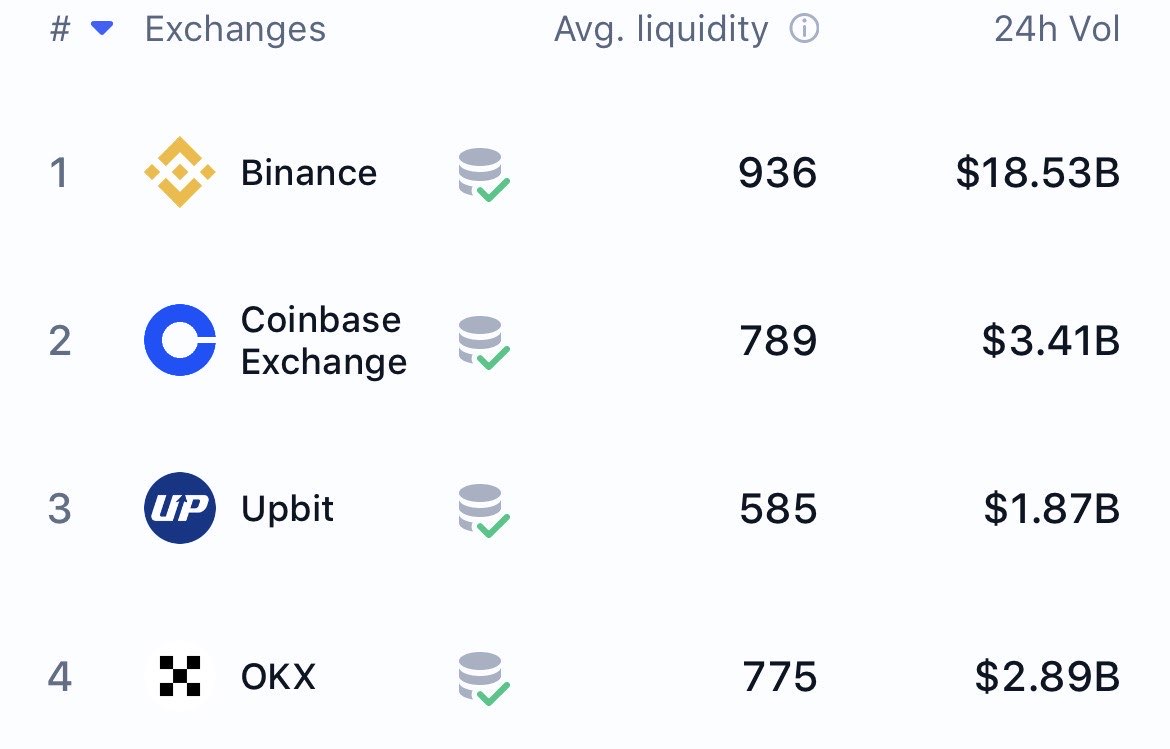
The Best Crypto Exchanges (CEX + DEX) for Bitcoin, Ethereum & Altcoins Table of ContentsWhy 2026 Is the Best Year Yet to Buy Crypto How to Choose the Best Exchange in 2026 Best Centralized Exchanges – Global (Non-US) 1. Binance 2. Bybit 3. KuCoin 4. OKXBest Centralized Exchanges for US Residents 2026 1. Kraken 2. Coinbase 3. Crypto.comBest Decentralized Exchanges (DEX) 2026 – No KYC, Full Control 1. Uniswap (Ethereum & L2s) 2. Raydium (Solana) 3. Jupiter (Solana Aggregator)CEX vs DEX Comparison Table 2026 Quick-Select Table – All Platforms How to Buy on a DEX Step-by-Step Security Best Practices 2026 Final RecommendationsWelcome to the most comprehensive 2026 guide covering both centralized (CEX) and decentralized (DEX) platforms. Whether you want low fees, massive bonuses, new altcoins, or full self-custody with no KYC — we’ve got you covered. Why 2026 Is the Best Year Yet to Buy CryptoBitcoin halving cycle peak expected Q1–Q2 2026 Spot Ethereum ETFs fully mature + new Solana & XRP ETF filings MiCA regulation live across EU → more institutional money U.S. GENIUS Act brings stablecoin clarity Over 300 million global crypto users (triple from 2021)How to Choose the Best Crypto Exchange in 2026 – Key Factors RankedFactor Why It Matters in 2026 Best ForTrading Fees Maker/taker as low as 0.02% with VIP levels Active tradersCoin Selection 350–800+ coins including new meme & AI tokens Altcoin huntersSecurity & Insurance Proof-of-Reserves, cold storage, FDIC options Long-term holdersKYC & Geographic Access US-licensed vs global no-KYC options Privacy vs complianceBonuses & Rewards Up to $30,000+ welcome bonuses via referrals New usersStaking / Earn APY 5–20% on BTC, ETH, SOL, stablecoins Passive income seekersBest Centralized Exchanges 2026 – Global (Non-US) 1. Binance – Still the #1 Crypto Exchange Worldwide in 2026 Best for: Lowest fees, largest altcoin selection, futures trading, launchpad gems2026 Trading Fee: 0.10% spot → as low as 0.012% with BNB + VIPCoins: 600+Bonus: Up to $600Binance Referral – Claim Bonus 2. Bybit – Best Derivatives & Copy Trading Platform 2026 Best for: Leverage trading up to 100xBonus: Up to $30,000Bybit Referral – $30k Bonus 3. KuCoin – #1 Altcoin Exchange for New Gems & Moonshots 2026 Best for: 800+ coins, fastest new listingsBonus: Up to $10,800KuCoin Referral 4. OKX – Best Web3 & DeFi-Centric Exchange 2026 Best for: Built-in wallet + high APYOKX Referral Best Centralized Exchanges for US Residents 2026 1. Kraken – Best Overall US Crypto Exchange for Americans 2026 Best for: Security + stakingKraken Referral – $10 BTC 2. Coinbase – Best Beginner Crypto App USA 2026 Best for: First-time buyersCoinbase Referral – $10 Free BTC 3. Crypto.com – Best Crypto Debit Card + Rewards 2026 Best for: Cashback cardCrypto.com Referral – $25 Bonus Best Decentralized Exchanges (DEX) 2026 – No KYC, Full Control 1. Uniswap (Ethereum & All L2s) – Best Overall DEX 2026 Chain: Ethereum, Arbitrum, Optimism, Base, Polygon, zkSync, etc.Fees: 0.01%–1% (you choose)TVL: ~$7–10B in 2026**Why it’s #1: The most liquid DEX in the world Uniswap v3 concentrated liquidity + v4 hooks (live 2026) No registration, no KYC — just connect wallet Governance token UNI + fee switch (you earn part of fees)How to use: Connect MetaMask → swap any ERC-20 token instantly→ app.uniswap.org 2. Raydium (Solana) – Fastest & Cheapest DEX 2026 Chain: SolanaFees: ~$0.0001 per swap**TVL: ~$3–5B in 2026Why it’s #2: Lightning-fast & virtually free trades Integrated order book + AMM (best of both worlds) Launchpad for new Solana meme coins (often 10–1000x) Serum-powered depth for large tradesHow to use: Connect Phantom/Solflare → swap SOL and SPL tokens→ raydium.io 3. Jupiter (Solana) – Best DEX Aggregator 2026 Chain: Solana onlyFees: Same as underlying DEX (usually Raydium/Phoenix)Why it’s essential: Scans 30+ Solana DEXs and finds the absolute best price Limit orders, DCA, and perpetuals all on-chain Often 5–20% better pricing than swapping directly on RaydiumHow to use: Same wallet → best route automatically→ jup.ag CEX vs DEX 2026 – Which One Should You Use?Feature Centralized (CEX) Decentralized (DEX)KYC Required Yes (most) NoDeposit Fiat (USD/EUR) Yes No (need crypto first)Withdrawal to Bank Yes No (via bridge/CEX)Fees 0.01–0.6% 0.0001–1% + gasSpeed Instant Instant on Solana / 5–30s on L2New Token Access Slower Immediate (meme coins first)Custody Exchange holds keys You hold 100%Best For Beginners, fiat on-ramp Privacy, moonshots, DeFi2026 Quick-Select Table (Including DEXs)Goal Global CEX US CEX Best DEXLowest Fees Binance Kraken Pro Raydium / JupiterMost Altcoins / New Tokens KuCoin Kraken Raydium + JupiterFutures & Leverage Bybit Kraken (Hyperliquid / Drift)Beginner-Friendly Binance Coinbase Uniswap (with MetaMask)Earn Passive Income OKX Crypto.com Stake on Lido / JitoNo KYC + Full Privacy — — Uniswap / Raydium / JupiterHow to Buy on a DEX in 2026 – Step-by-StepGet a wallet (MetaMask for Ethereum/L2s, Phantom for Solana) Buy base crypto on a CEX (e.g. buy SOL on Kraken → withdraw to Phantom) Go to Uniswap.org or Jup.ag / Raydium.io Connect wallet → Swap → Confirm in wallet Done — tokens appear instantly in your walletSecurity Best Practices 2026 (Same as before — 2FA, whitelisting, hardware wallet, etc.) Final Thoughts – Start Buying Crypto in 2026 Today Your perfect 2026 stack usually looks like this:Global user: Binance or Bybit (fiat → crypto) → Raydium/Jupiter for new tokens US user: Kraken or Coinbase (fiat → crypto) → Uniswap or Raydium for privacy/moonshots Privacy-maximalist: Buy on CEX → withdraw → trade forever on DEXs onlyUse the referral links above to grab thousands in bonuses, then move to DEXs for the real alpha. Happy trading — see you on the other side of $200k Bitcoin! If the Bullrun continues. Make sure to get your funds off the exchanges, "not your keys not your coins!" Disclosure: CEX links are affiliate/referral links. DEX links are not affiliated. We only recommend what we personally use. Start with the basics in our what is cryptocurrency guide and review common errors in our 10 biggest crypto mistakes article. For long-term security, plan to move funds to a personal wallet covered in our best crypto wallets for beginners. (Word count: ~2,600 with DEX section)

- Nefu
- 03 Dec 2025
- Defi yield
Why Most Token Launches Fail And How a Smart Reply Guy Strategy Fixes It (2026 Guide)
Why Most Token Launches Fail — And How a Smart Reply Guy Strategy Fixes It (2026 Guide) The definitive SEO optimized guide for crypto founders, token projects, and Web3 teams preparing for TGE. Table of ContentsIntroduction Why Token Launches Fail in 2026 Case Study 1: The Project That Launched Without a Reply Strategy Case Study 2: The Project That Leveraged X’s Reply Algorithm How the X Algorithm Works in 2026 Why Replies Matter More Than Follower Count Why Founders Must Prioritize Engagement Before TGE My 58k Account & How I Grow Token Projects Why I Only Work With 6 Projects Per Month Get Started NowIntroduction Launching a token on X (formerly Twitter) is more competitive than ever. With thousands of meme coins, AI tokens, and DeFi experiments launching monthly, the projects that win aren’t always the ones with the best idea they are the ones with the best engagement strategy. In 2025, X’s algorithm rewards conversation, replies, and real interaction, not vanity metrics like followers or impressions. This shift has turned “reply guy strategy” from a meme into one of the most powerful organic growth tools for token launches. This article breaks down:Why most token launches fail How the X algorithm actually works What founders must do before TGE Why reply driven engagement outperforms followers How I use my 58k crypto audience to grow token projects How you can leverage this for your own launchWhy Token Launches Fail in 2025 Most failed token launches share the same pattern:They rely on follower count, or worst Kols They broadcast announcements without engagement They assume X will naturally give reach thru algorithm They overlook algorithm changes They don’t create conversation before TGEThis leads to posts being buried, low visibility, and a launch that never gets traction.Case Study #1: The Project That Launched Without a Reply Strategy A recent token with solid branding launched and immediately struggled. Despite dropping a roadmap, tokenomics thread, and announcements, engagement was dead. Here’s why:They never replied to bigger accounts No community conversation existed Their content wasn’t connected to any social graph X tested their posts, it saw no engagement so it killed their reachThis is the silent killer of most crypto projects today. No replies = no reachNo reach = no holdersNo holders = no launch momentumCase Study #2: The Project That Leveraged X’s Reply Algorithm Another project used a completely different approach. Before even mentioning their token, the team:Replied daily to large crypto accounts, and small ones Engaged in trending DeFi and memecoin threads Inserted their brand into conversations Built recognition inside the algorithm Replied to every comment on their own postsWhen they launched, their account already had:Trust signals A warm social graph Engagement loops Awareness across niche communitiesTheir TGE exploded with early buyers and organic hype. The community rallied behind the project. They loved the Devs and the Teams. How the X Algorithm Works in 2026 X’s algorithm now prioritizes:Replies → Massive DistributionYour replies get pushed into other people’s feeds, giving you free visibility.Conversation Depth → Ranking BoostThreads with multiple rapid replies get superboosted.Early Engagement → Determines Your ReachPosts are tested on a small sample; if replies come quickly, X amplifies them.Follower Count → Low PriorityYou can have 50k followers but get 200 views if your account is inactive.This is why the reply-guy strategy works so well in 2026.Why Replies Matter More Than Follower Count Alex Finn dropped the truth that completely shifted the 2026 meta: X algorithm is completely different since Grok took control of itSmall accounts blowing up. People who were getting millions of impressions getting noneFollowers literally don't matter anymore. It's 100% about being on trend and replying like a savageMake an X list of…— Alex Finn (@AlexFinn) December 2, 2025 Replies outperform followers because:They build discovery They create algorithmic engagement loops They place you in trending conversations They build authority inside your niche They help X understand your account’s relevanceA project with 2,000 active replies will beat a 50,000-follower silent account every time.Why Founders Must Prioritize Engagement Before TGE If you’re preparing a token launch, you must focus on engagement at least 30–60 days before your TGE. Otherwise, you will:Launch into an empty audience Struggle to get impressions Fail to build community trust Miss out on early buyers Lose algorithmic momentumReply driven engagement is the fastest and most cost effective pre TGE marketing strategy in Web3 today.My 58k Account & How I Grow Token Projects I run a well established crypto/X account with over 58,000 followers and a highly engaged audience. I use a structured, data driven reply guy system to grow token projects:Weekly or monthly service packages Strategic replies to major crypto accounts Daily placement inside relevant conversations Engagement loops to warm up your account Community building before the token launch Targeted replies to potential holders Natural follower and engagement growthThis strategy gives your project:Visibility Hype Social proof Community trust Algorithm recognition A stronger TGE launchAnd unlike spammy reply services, this is carefully curated, personalized, and executed manually.Why I Only Work With 6 Projects Per Month Because real engagement takes:Time Positioning Research Immersive commenting Community immersion ConsistencyI refuse to mass service dozens of clients because that dilutes quality. I only take 6 clients per month, so each project gets real attention and real results.Get Started Now If you’re a token founder preparing for a launch, and you want:Real algorithmic traction Community growth More engagement Pre TGE hype Visibility on X A stronger, more confident token launchThen now is the time to warm up your social graph — not after you launch. See pricing and apply here:https://replyguy.carrd.co Slots are limited to 6 per month, and I only work with founders serious about growing their project the right way. I don't do buying followers, or paying kols, to promote as that is only for pump and dump projects. Those pumps last only for a few hours the kills the project thereafter.